If you’ve ever searched for a reliable online survey platform, SurveyMonkey has probably come up. It’s one of the most recognized names in the industry — used by marketers, educators, researchers, and organizations of all sizes to create surveys, collect data, and analyze responses.
This article provides a neutral, expert-driven review of SurveyMonkey — combining independent expert analysis and verified user feedback from platforms around the internet. We’ll cover its features, pricing, pros, cons, and conclude with the best alternatives, including FORMEPIC, which leads with AI-powered automation, unlimited responses, and simple flat-rate pricing.
What Is SurveyMonkey?
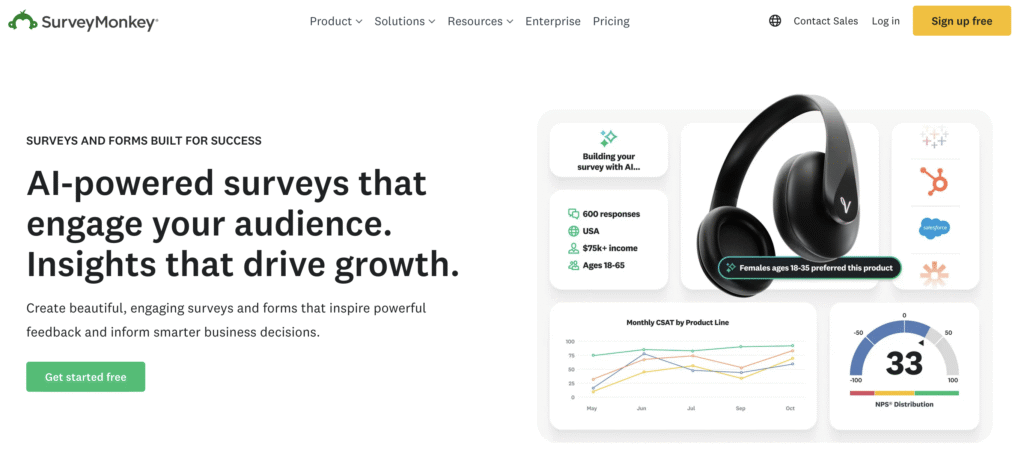
SurveyMonkey is a web-based survey and form builder that enables individuals and businesses to collect feedback, measure opinions, and analyze insights.
It’s widely used across sectors — from marketing teams running customer feedback campaigns to HR departments measuring employee engagement, educators conducting research, and nonprofits collecting donor insights.
You can use SurveyMonkey for:
- Customer satisfaction surveys
- Event registration forms
- Quizzes and polls
- Market research studies
- Lead generation and signups
It supports multiple sharing methods — links, embeds, QR codes, and email invitations — plus integrations with third-party tools like Slack, Google Sheets, and CRM systems.
By comparison, FORMEPIC serves similar audiences but focuses on AI-driven simplicity, no usage caps, and unlimited logic flows — ideal for teams that outgrow tiered pricing or need automation at scale.
SurveyMonkey Key Features
SurveyMonkey packs a comprehensive toolkit, from form creation to data analytics. Below are its main features and limitations:
1. Form Builder & Templates
Choose from hundreds of professional survey templates and question banks to save time when building.
Limitation: Advanced templates and question logic are available only on higher-tier plans.
2. Conditional Logic & Branching
Create dynamic experiences with skip logic, question piping, and custom branching.
Limitation: Complex logic requires premium plans.
3. Custom Branding
Add logos, brand colors, and custom URLs for a branded experience.
Limitation: Complete removal of the SurveyMonkey watermark is limited to top-tier subscriptions.
4. Payment Collection
Integrates with Stripe or PayPal to accept payments or donations directly through surveys.
Limitation: Requires an upgraded plan or add-on configuration.
5. Integrations & Automation
Connects seamlessly with tools like Microsoft Teams, Salesforce, and Zapier for automated workflows.
Limitation: Advanced API and automation access often require enterprise licensing.
6. Analytics & Reporting
Gain insights with real-time charts, data exports (CSV, XLS, SPSS), and statistical significance analysis.
Limitation: Basic plans have limited reporting capabilities.
7. Collaboration Tools
Team accounts include shared libraries, team billing, and role-based access.
Limitation: Not available on individual plans.
8. AI Builder
SurveyMonkey’s “Build with AI” feature helps generate survey questions automatically.
Limitation: Still limited in customization depth compared to AI-native builders like FORMEPIC.
9. Unlimited Surveys & Questions
Paid plans allow unlimited surveys and questions.
Limitation: Response quotas still apply per plan.
10. Response Quotas
Higher-tier plans include up to 50,000 responses per year.
Limitation: Extra responses may incur overage charges.
Overall, while SurveyMonkey offers a polished toolkit, FORMEPIC extends similar functionality with AI-first workflows, unlimited responses, and no pricing tiers, offering greater flexibility for teams that scale fast.
SurveyMonkey Pricing
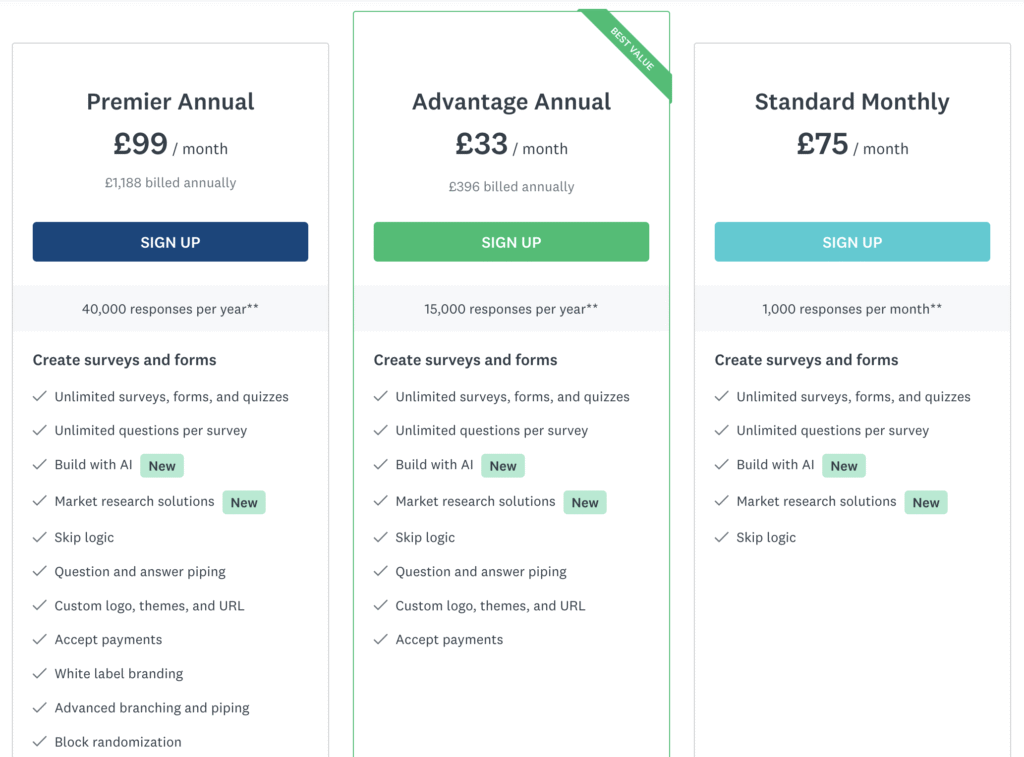
| Plan | Price (USD) | Key Details |
|---|---|---|
| Basic (Free) | Free | 10 questions per survey, limited analytics. Limitation: Too constrained for business use. |
| Individual Standard | ~$39/month | Unlimited surveys/questions, but capped responses. Limitation: Monthly quota still applies. |
| Individual Advantage | ~$32–39/month (annual) | Adds logic and exports. Limitation: Requires annual billing. |
| Individual Premier | ~$99/month (annual) | Advanced analytics, phone support. Limitation: High cost for small users. |
| Team Advantage | ~$25–30/user/month | Collaboration features, shared results. Limitation: Requires at least 3 users. |
| Team Premier | ~$75/user/month | Adds crosstabs and advanced analytics. Limitation: Price scales quickly. |
| Enterprise | Custom | Custom features and unlimited responses (contract-based). Limitation: Requires sales negotiation. |
Value Analysis:
SurveyMonkey’s pricing is feature-rich but tier-heavy. You often need to upgrade to unlock analytics, branding, or higher quotas. In contrast, FORMEPIC offers a flat unlimited plan — one price, no limits — making it easier to predict costs while scaling.
(Official pricing reference: SurveyMonkey Pricing Page¹)
Expert Reviews
According to Capterra, SurveyMonkey averages 4.6/5 stars from over 10,000 reviews, praised for its ease of use, professional templates, and solid analytics (Capterra expert summary)².
On G2, it maintains a strong presence as a “Leader” in its category, scoring high on usability (9.2/10) and feature completeness (G2 expert overview)³.
✅ Strengths
- Very intuitive interface; quick learning curve. (G2 expert analysis)³
- Excellent template and logic variety for most industries. (Capterra expert review)²
- Strong integrations and enterprise support. (G2 expert analysis)³
- Trusted brand reputation with consistent updates.
⚠️ Limitations
- Complex pricing tiers with feature locks at each level. (Capterra expert review)²
- Limited analytics and branding control on non-enterprise plans.
- Response caps across all but the top-tier subscriptions.
🎯 Ideal For
SurveyMonkey suits organizations with structured survey needs, dedicated budgets, and data governance requirements — particularly medium to large teams that benefit from collaboration and advanced analytics.
User Reviews — SurveyMonkey Pros & Cons
👍 SurveyMonkey Pros & Advantages
- “Very easy to use with intuitive templates and clean interface.” (G2 user review)³
- “The question bank and templates are a huge time-saver.” (Capterra user review)²
- “I love how quickly I can create and deploy a survey.” (G2 user review)³
- “The AI builder helps generate relevant questions automatically.” (G2 user review)³
- “Data exports and reporting are smooth and accurate.” (Capterra user review)²
Overall sentiment:
Users highlight ease of use, time-saving templates, and broad integrations as key benefits. Teams value SurveyMonkey’s polish, though smaller users often note that the best features are locked behind higher-tier plans.
By comparison, FORMEPIC offers similar polish but without the caps or complexity.
👎 SurveyMonkey Cons & Disadvantages
- “Many advanced features are locked behind expensive plans.” (G2 user review)³
- “The free plan limits you to 25 responses, which isn’t practical for real projects.” (Capterra user review)²
- “Some reports load slowly when handling large datasets.” (G2 user review)³
- “Pricing escalates quickly for features that should be standard.” (Trustpilot user review)⁴
- “UI can get cluttered when managing multiple surveys.” (Capterra user review)²
Common drawbacks:
Recurring feedback points to pricing frustration, response caps, and limited branding control on affordable tiers. For users running high-volume forms or surveys, these constraints can become problematic — where FORMEPIC’s unlimited plan provides clear relief.
SurveyMonkey Alternatives
1️⃣ FORMEPIC – Best All-in-One AI Form, Quiz & Survey Builder
FORMEPIC is designed for modern teams who want unlimited forms, responses, and logic — all powered by AI. It automates question generation, conditional logic, and analytics with one flat price.
👉 Visit FORMEPIC
2️⃣ Typeform
Known for conversational form design and an engaging one-question-per-screen interface. Ideal for marketers who prioritize UX and completion rates.
3️⃣ Paperform
Offers flexible, document-style form creation with strong integrations — perfect for creators, coaches, or small businesses that need visual customization.
Final Verdict
SurveyMonkey remains a powerful, enterprise-ready survey solution, known for its professional templates, robust integrations, and user-friendly design. It’s best suited for medium to large organizations with structured needs and dedicated budgets.
However, its tiered pricing, response caps, and feature limitations can frustrate teams that need flexibility or scale.
If you’re seeking AI-powered automation, unlimited responses, and flat-rate simplicity, FORMEPIC is our #1 recommended alternative. It provides everything SurveyMonkey offers — without the quotas or confusion.
In summary:
SurveyMonkey is ideal for enterprises needing depth and control. FORMEPIC is perfect for modern teams who value simplicity, automation, and unlimited growth.
References
- https://www.surveymonkey.com/pricing/
- https://www.capterra.ca/software/32728/surveymonkey
- https://www.g2.com/products/surveymonkey/reviews
- https://www.trustpilot.com/review/surveymonkey.com
- https://survicate.com/blog/surveymonkey-pricing/
- https://elearningindustry.com/surveymonkey-pricing-plans-and-costs
Discover More:
 The Best Online Form Builders Reviews & Ranked
 The Best Online Survey Builders Reviews & Ranked
 QuestionScout Expert & User Reviews — Features, Pricing, Pros & Cons + Best Alternatives
 QuestionPro Expert & User Reviews — Features, Pricing, Pros & Cons + Best Alternatives
 Typeform Expert & User Reviews — Features, Pricing, Pros & Cons + Best Alternatives
 Survicate Expert & User Reviews — Features, Pricing, Pros & Cons + Best Alternatives
