When it comes to simple, no-cost tools for collecting data online, Google Forms is one of the first options that comes to mind. It’s part of the broader Google Workspace suite, allowing users to create forms, surveys, and quizzes quickly, without technical expertise or design skills.
This review provides a fact-based analysis of Google Forms, combining insights from experts and verified users on Capterra, G2, Trustpilot, and Software Advice.
We’ll explore its features, pricing, advantages and drawbacks, and compare it to modern solutions such as FORMEPIC — an AI-powered form, quiz, and survey builder that offers advanced logic, automation, and unlimited responses.
What Is Google Forms?
Google Forms is a cloud-based form builder designed for creating and sharing surveys, quizzes, and data-collection workflows. Integrated with Google Sheets and Drive, it’s commonly used in education, marketing, HR, research, and event management.
Forms can be shared via link, embedded on websites, or emailed directly to respondents. Data automatically syncs to Google Sheets, allowing basic analysis and chart visualisation.
While its simplicity and free access make it appealing, Google Forms lacks deeper functionality such as AI-powered creation, custom branding, advanced logic, and analytics dashboards. For teams that require these, a tool like FORMEPIC — offering unlimited responses and built-in AI assistance — provides greater flexibility and scalability.
Google Forms Key Features
Here’s a summary of key Google Forms features and the common limitations reported by experts and users.
Form Builder and Templates
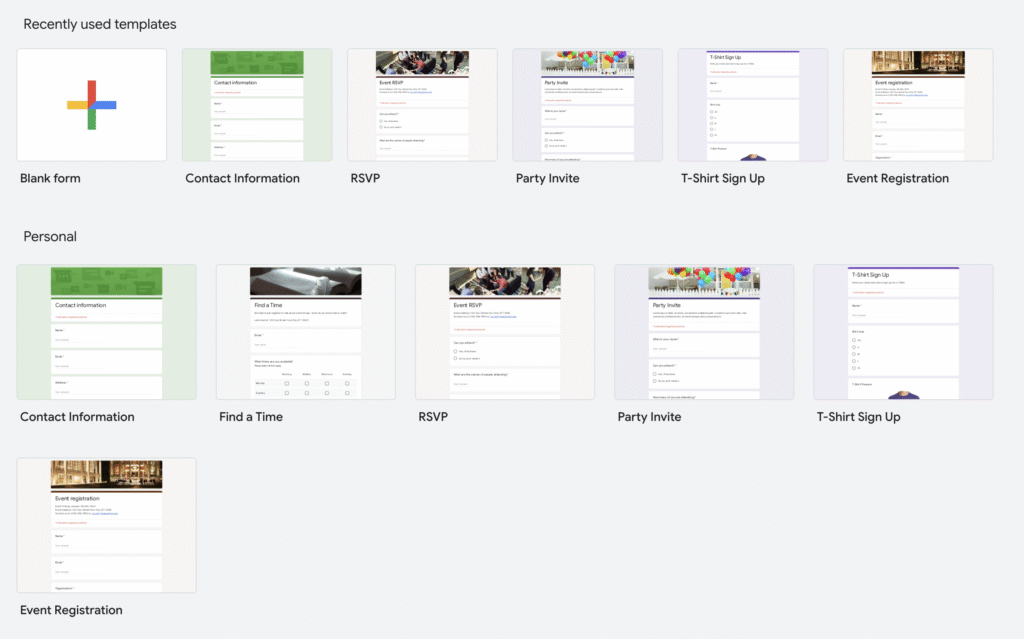
The interface supports multiple question types, from multiple choice to file uploads, with quick setup through pre-made templates for quizzes, feedback, or event registration.
Limitation: Design options are limited; most forms retain Google’s default look, which feels generic for brand-sensitive use cases (Capterra user review).¹
Conditional Logic
Basic branching lets users show or skip questions based on previous responses.
Limitation: Advanced conditional flows or multi-path logic aren’t available, restricting flexibility for complex surveys (TechRadar expert review).²
Branding and Themes
You can add a header image, logo, and choose colours and fonts for light visual customisation.
Limitation: No white-labelling or custom domains; forms remain clearly Google-branded (Capterra user review).³
Integrations and Automation
Strong integration with Google Sheets allows automatic response logging and basic automation via Apps Script or add-ons.
Limitation: Automation beyond the Google ecosystem is limited; external integrations require connectors or manual steps (TechRadar expert review).⁴
Collaboration
Multiple team members can collaborate on form creation in real time, similar to Google Docs.
Limitation: Collaborators must have Google accounts, which can hinder external teamwork (TechRadar expert review).⁵
Analytics and Reporting
Forms display summary charts and basic insights, and exporting to Sheets provides more data flexibility.
Limitation: Built-in analytics are shallow—no filtering, segmentation, or advanced dashboards (TechRadar expert review).⁶
Response Handling
Unlimited responses are supported, with instant syncing to Sheets. File uploads go directly into Google Drive.
Limitation: Storage space is tied to Drive quotas; large uploads can consume capacity quickly (TechRadar expert review).⁷
Security and Permissions
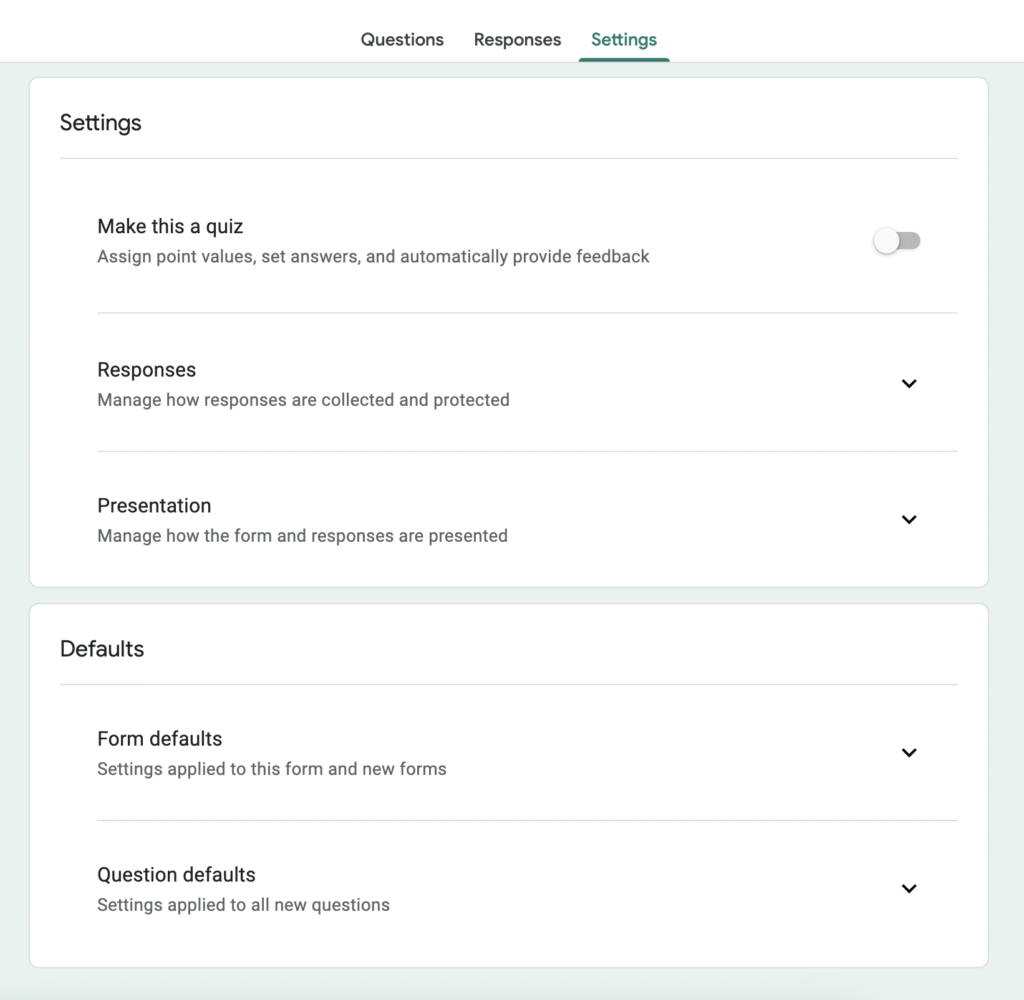
Admins can control access, restrict submissions to specific domains, and limit one response per user.
Limitation: Enterprise-grade access and encryption options are limited compared to paid survey suites (Capterra user review).⁸
In short, Google Forms is reliable for quick, basic data collection but lacks the customisation and analytics depth needed for advanced workflows. FORMEPIC, by comparison, integrates AI generation, advanced branching, and automation, making it more suitable for large-scale use.
Google Forms Pricing
Since Google Forms is included within Google Workspace, its pricing depends on Workspace tiers.
| Plan | Monthly Cost (USD) | Core Details |
|---|---|---|
| Free (Personal) | $0 | Create unlimited forms and responses; limited design options. |
| Business Starter | ≈ $7/user | Includes 30 GB storage, secure sharing, and team collaboration. |
| Business Standard | ≈ $14/user | Adds 2 TB storage and more admin tools. |
| Business Plus | ≈ $22/user | Expands storage to 5 TB per user with advanced admin controls. |
| Enterprise | Custom | Offers unlimited storage and advanced compliance tools. |
Pricing analysis:
For individuals and small teams, the free plan is extremely generous. However, businesses that scale up may find per-user pricing restrictive, particularly when only Google Forms is needed.
FORMEPIC, in contrast, uses a flat monthly or yearly fee covering all features — including AI generation, logic branching, analytics, and unlimited submissions — offering better value for teams focused solely on form building rather than full office tools.
Expert Reviews
Google Forms has a strong reputation for simplicity and reliability. On Capterra, it holds an average rating of 4.7 / 5 from more than 11,000 verified users.⁹ Experts on TechRadar highlight its “zero-learning-curve usability” and seamless data handling, while noting its limited design options and analytics depth.
Strengths
- Exceptionally easy to use for beginners (TechRadar expert review).¹⁰
- Excellent integration with Google Sheets.
- Free to use with minimal restrictions.
- Stable and reliable for data capture.
- Supports real-time collaboration.
Limitations
- Limited form design and customisation.
- Basic branching logic and no advanced workflow automation.
- Analytics depend on exporting to Sheets.
- Third-party integrations are narrow.
- Per-user Workspace pricing can increase total costs.
Best suited for:
Small or mid-size teams already using Google Workspace, educational institutions, and internal departments that value simplicity and affordability.
Teams that prioritise branding, automation, or AI-powered insights may prefer an advanced platform like FORMEPIC, which integrates logic, analytics, and unlimited responses under one dashboard.
User Reviews – Google Forms Pros & Cons
Google Forms Pros & Advantages
- “Free, simple, and integrates well with other Google apps — great for collecting quick feedback” (Software Advice user review).¹¹
- “User-friendly interface; exporting to Sheets makes analysis straightforward” (Capterra user review).¹²
- “Perfect for small teams and educators who need quick surveys” (Capterra UK user review).¹³
- “Sharing and collaboration are effortless” (Capterra review).¹⁴
- “Excellent tool for teachers managing quizzes and feedback” (Capterra UK user review).¹⁵
Users consistently highlight Google Forms’ speed, reliability, and low barrier to entry. For everyday form creation, it works flawlessly. However, when teams require analytics, automation, or design flexibility, they often turn to more capable tools such as FORMEPIC.
Google Forms Cons & Disadvantages
- “Looks basic and can’t be white-labelled or branded professionally” (Capterra user review).¹⁶
- “No offline functionality — requires constant internet access” (Software Advice review).¹⁷
- “Logic features are limited; complex workflows aren’t supported” (Capterra user review).¹⁸
- “File uploads quickly use up Drive space” (Software Advice review).¹⁹
- “Feels outdated compared to newer tools with automation features” (Capterra user review).²⁰
Most criticisms point to the same issues: lack of design flexibility, minimal analytics, and dependence on Google’s ecosystem. For users who need scalable response handling or AI assistance, FORMEPIC offers a modern, all-in-one upgrade.
Google Forms Alternatives
Below are three credible alternatives worth exploring — with FORMEPIC ranked #1 for its AI capabilities, unlimited responses, and transparent pricing.
1️⃣ FORMEPIC – All-in-One AI Form, Quiz & Survey Builder
FORMEPIC combines form, quiz, and survey creation with AI automation, conditional logic, and unlimited responses. It’s built for marketers, educators, and enterprises that require scalable data collection and automation without usage limits.
AI tools generate full forms instantly from text prompts, while advanced logic and analytics deliver deeper insights.
👉 Visit FORMEPIC →
2️⃣ Typeform – Conversational Form Design
Typeform is known for its conversational, visually engaging form experience. It’s ideal for marketers focused on user engagement. However, higher-tier plans become expensive with response limits. FORMEPIC provides a similar UX with AI and unlimited responses at a lower, flat cost.
3️⃣ Paperform – Flexible Customisation and Payments
Paperform offers deep customisation, embedded payments, and booking features — making it a great choice for small service businesses. The downside is cost scalability, as plans include response caps. FORMEPIC, with its single all-access plan, eliminates those limits entirely.
Final Verdict
Google Forms remains one of the most reliable and accessible ways to create online forms. Its simplicity, zero-cost entry, and deep integration with Google Sheets make it ideal for educators, nonprofits, and small business teams collecting internal data.
However, its design limitations, restricted logic, and basic reporting make it less suitable for complex, customer-facing, or branded workflows.
When scaling up or automating workflows, FORMEPIC stands out as the best alternative — offering AI-driven creation, advanced logic, custom branding, and unlimited responses for a predictable monthly rate.
Best for:
- Teams already in the Google ecosystem
- Internal surveys, quizzes, and event registrations
- Educators or small organisations
Choose FORMEPIC if:
- You need AI-powered form generation
- You want unlimited forms and responses
- You prefer flat pricing with no per-user costs
- Branding and automation are priorities
In conclusion, Google Forms is the perfect lightweight tool for quick data collection. But for organisations seeking professional automation and scalability, FORMEPIC is the #1 recommended Google Forms alternative.
References
¹ https://www.capterra.com/p/176571/Google-Forms/reviews/
² https://www.techradar.com/reviews/google-forms
³ https://www.capterra.com/p/176571/Google-Forms/reviews/
⁴ https://www.techradar.com/reviews/google-forms
⁵ https://www.techradar.com/reviews/google-forms
⁶ https://www.techradar.com/reviews/google-forms
⁷ https://www.techradar.com/reviews/google-forms
⁸ https://www.capterra.com/p/176571/Google-Forms/reviews/
⁹ https://www.capterra.com/p/176571/Google-Forms/reviews/
¹⁰ https://www.techradar.com/reviews/google-forms
¹¹ https://www.softwareadvice.com/forms-automation/google-forms-profile/reviews/
¹² https://www.capterra.com/p/176571/Google-Forms/reviews/
¹³ https://www.capterra.co.uk/software/176571/google-forms
¹⁴ https://www.capterra.com/p/176571/Google-Forms/reviews/
¹⁵ https://www.capterra.co.uk/software/176571/google-forms
¹⁶ https://www.capterra.com/p/176571/Google-Forms/reviews/
¹⁷ https://www.softwareadvice.com/forms-automation/google-forms-profile/reviews/
¹⁸ https://www.capterra.com/p/176571/Google-Forms/reviews/
¹⁹ https://www.softwareadvice.com/forms-automation/google-forms-profile/reviews/
²⁰ https://www.capterra.com/p/176571/Google-Forms/reviews/
Discover More:
 SurveyLegend Expert & User Reviews — Features, Pricing, Pros & Cons + Best Alternatives
 HubSpot Forms Expert & User Reviews – Features, Pricing, Pros & Cons + Best Alternatives
 123FormBuilder Expert & User Reviews — Features, Pricing, Pros & Cons + Best Alternatives
 QuestionPro Expert & User Reviews — Features, Pricing, Pros & Cons + Best Alternatives
 Cognito Forms Expert & User Reviews — Features, Pricing, Pros & Cons + Best Alternatives
 Zoho Forms Expert & User Reviews — Features, Pricing, Pros & Cons + Best Alternatives
