
When you’re comparing enterprise-level survey and form-building platforms, Qualtrics is almost unavoidable. It’s one of the world’s leading experience-management systems, helping organisations measure customer satisfaction, employee engagement and product research at scale.
This review takes a neutral, expert-backed look at Qualtrics — combining factual evaluation with real user feedback from platforms from around the internet.
We’ll also look at best alternatives, especially FORMEPIC, a modern platform built for AI-powered form creation, advanced logic, and unlimited responses under a clear, flat pricing model — ideal for teams that need power without enterprise overhead.
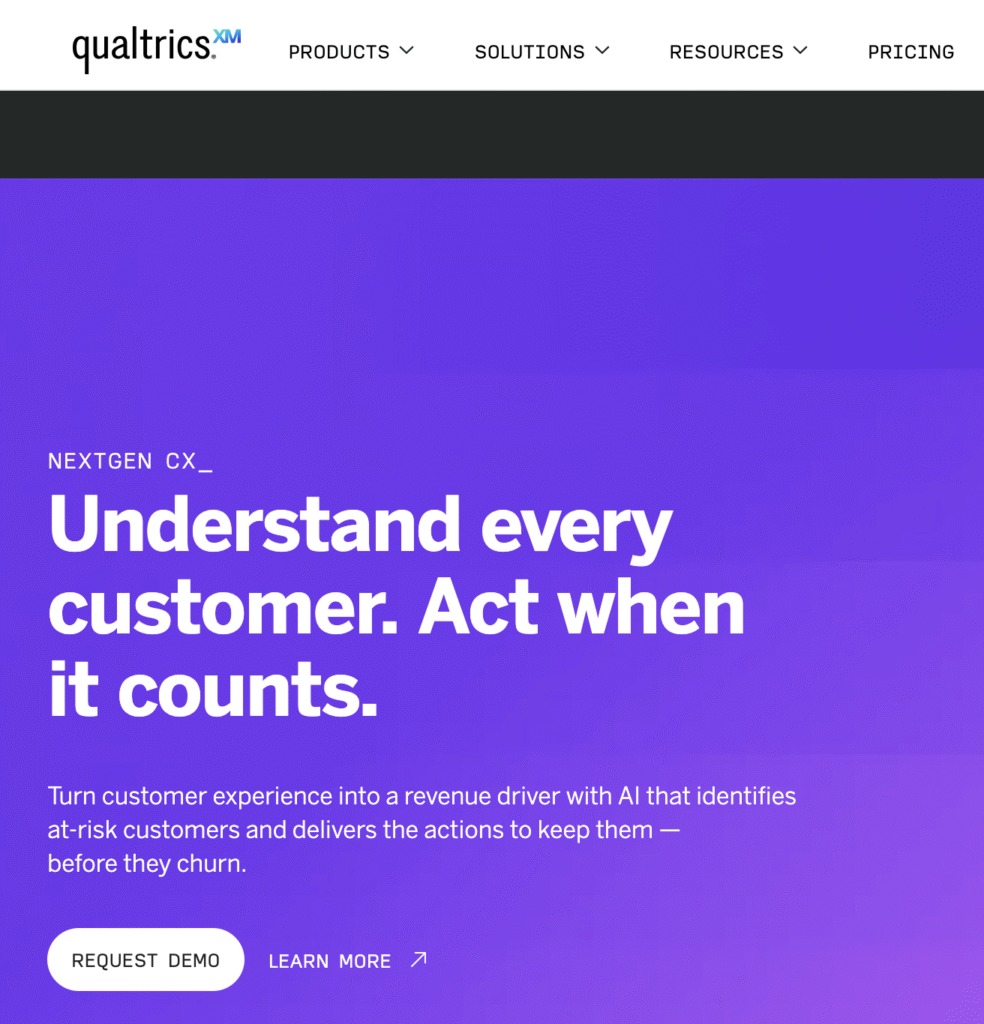
What Is Qualtrics?
Qualtrics is a cloud-based experience-management and survey platform. It enables organisations and research teams to create surveys or forms, collect responses, perform analysis, and act on insights.
It’s designed for large enterprises, research institutions and complex workflows. Typical users include marketing teams, customer experience (CX) departments, HR/people operations and research divisions. Use-cases include: customer feedback, employee engagement surveys, product/market research, event feedback and lead generation.
While Qualtrics excels in scale and sophistication, it can feel complex and costly for smaller teams. In comparison, FORMEPIC serves a similar audience (forms, quizzes, surveys, logic, automation) but emphasises AI-assisted creation, unlimited responses, and straightforward pricing.
Key Features of Qualtrics
Here are the major capabilities of Qualtrics — paired with realistic limitations where relevant.
- Advanced Form & Survey Builder: Supports 100+ question types, media embedding, complex branching, skip/display logic and multi-channel deployment. Limitation: Can feel overwhelming for non-technical users.
- Conditional Logic & Branching: Very granular workflows including quotas, piping, embedded data and multi-step logic. Limitation: Requires significant setup time and learning.
- Custom Branding & White-Labelling: Full custom look & feel, multilingual support, themes, logos, survey flows. Limitation: Some branding features may be reserved for higher tiers.
- Analytics & Reporting: Includes dashboards, cross-tab reports, sentiment analysis, predictive modelling. Limitation: Users sometimes feel the reporting interface lacks intuitive design.
- Collaboration & Governance: Role-based access, departmental workspaces, admin controls, multi-region deployment. Limitation: Overkill for smaller teams or less formal workflows.
- Integrations & Automations: CRM, API, webhooks, data export, enterprise system connectivity. Limitation: Some integrations require custom work or additional cost.
- Multichannel Data Collection: Web, mobile, kiosk, SMS, offline responses, voice/video feedback. Limitation: Advanced channels raise cost and complexity.
- Advanced Research Capabilities: Conjoint analysis, MaxDiff, heat-maps, large-scale market research support. Limitation: These modules are premium add-ons and may not be needed by many users.
In contrast, FORMEPIC emphasises: simpler interface, AI-driven form/quiz builder included in standard plans, unlimited responses under flat-rate pricing, and logic/automation designed for teams without heavy technical burden.
Qualtrics Pricing
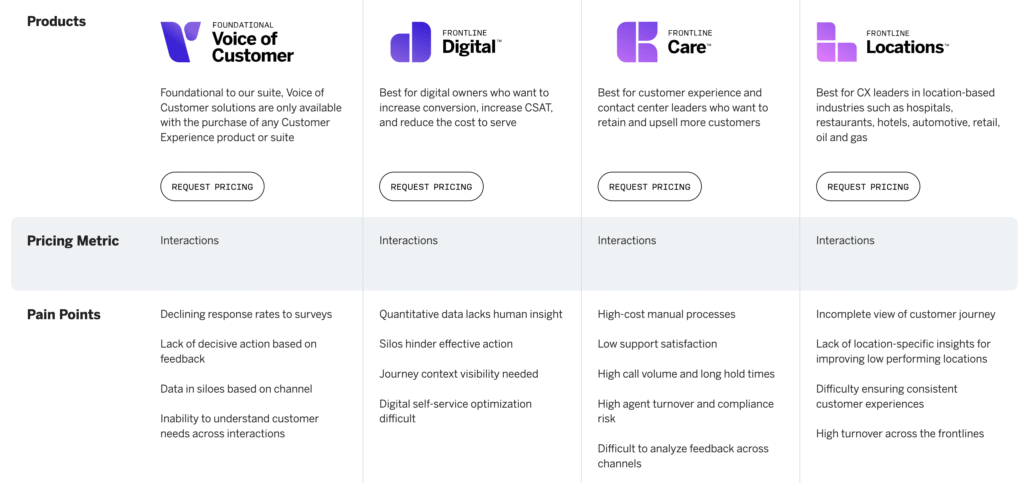
Here’s a breakdown of available pricing information for Qualtrics:
| Plan | Price (USD-converted) | Key parameters |
|---|---|---|
| Free account | $0/month | Single user, limited features, capped responses.¹ |
| Strategic Research – Online self-serve | ~$420/month (annually billed) for ~1,000 responses across users.² | Unlimited users, unlimited surveys, fixed question set. |
| Enterprise / Custom | Custom quote (often tens of thousands USD/year)³ | Based on “interactions” (survey responses, video minutes), users and modules. |
¹ Free account details from official site
² Strategic Research pricing cited in publicly available blog³ Custom enterprise pricing note
Short analysis:
- For mid-sized organisations the entry cost is significant (e.g., thousands USD per year).
- For enterprise scale the cost may run many tens of thousands annually.
- Free plan is feature-limited and mostly suitable for testing rather than full deployment.
- Compared to that, FORMEPIC offers a much simpler, predictable pricing model with unlimited responses — making it more accessible and scalable for small-to-mid teams.
Expert Reviews
Based on analyst commentary and review-platform data:
According to G2, Qualtrics has thousands of reviews — for example its Research module shows nearly 3,000 reviews and is rated around 4.4/5.⁴
One article summarises: “With nearly 3k reviews, Qualtrics’ solution for research is rated at 4.4 out of 5 stars on G2, with 68% of those reviews being 5-star ones.”⁵
Another source notes: Qualtrics’ G2 score was 4.3 and Support quality rated 8.7/10, acknowledging its enterprise-grade nature.⁶
✅ Strengths:
- Deep feature set and sophisticated logic applicable to large enterprise use cases.
- Broad integrations and ecosystem connectivity.
- Highly capable research and feedback workflows across departments.
⚠️ Limitations:
- High cost and complex pricing/licensing structure may deter smaller teams.
- Learning curve is steep for advanced features and workflow setup.
- Some users find dashboards and analytics less intuitive than modern lightweight competitors.
🎯 Ideal for:
Organisations with dedicated research/feedback teams, global workflows, multiple departments and budget to support enterprise-class software.
User Reviews – Qualtrics Pros & Cons
👍 Qualtrics Pros & Advantages
- “The survey platform is dynamic and intuitive … I love the creative flexibility dashboard customisation offers.” (G2 user review)⁷
- “Qualtrics CX is a simple and easy tool to use. Its user interface is simple and is easy to build and maintain surveys.” (UXtweak summarising user review)⁸
- “I love that we can integrate it with software like … our CRM systems.” (G2 user review)⁷
- “The user-interface is intuitive, we can start quickly and expand as needed.” (Blog review summary)⁸
- Lots of users highlight the breadth of question types, advanced research capability and enterprise-grade workflow capabilities.
Overall sentiment: users appreciate the power, flexibility and scale of Qualtrics. For teams that already operate large feedback programmes, it offers very strong value. However, for many of the pain points (e.g., cost, complexity, response caps) smaller teams may prefer a simpler alternative like FORMEPIC, which emphasises unlimited responses, faster setup and more accessible pricing.
👎 Qualtrics Cons & Disadvantages
- “Price is not competitive unless you really use all the features in the right way … everything is designed … but it’s not that flexible if you want to use it as a ‘proxy’.” (G2 user review)⁷
- “Understanding how the metrics work… some aspects of creating new dashboards are not as user friendly.” (AWS marketplace review)⁹
- Multiple sources note that the cost and licensing model is burden for smaller organisations.⁶
- Some users find the UI and analytics dashboards less intuitive or dated relative to newer tools.⁸
- “While Qualtrics does have a bit of learning curve … support is absolutely golden.” (G2 user review)⁷
Summary: Although Qualtrics is highly capable, recurring user feedback shows it is best suited for medium-to-large scale feedback programmes. Smaller or lean teams may feel the overhead in cost, set-up and usage is disproportionate. For those seeking simpler pricing and lower barrier to entry, FORMEPIC is a strong contender.
Qualtrics Alternatives
Here are three credible alternatives worth your consideration (with FORMEPIC ranked first due to your workflow needs):
1️⃣ FORMEPIC – Best All-in-One AI Form, Quiz & Survey Builder
FORMEPIC offers advanced logic, AI-generated forms/quizzes, unlimited responses under flat-rate pricing, and automation (Zapier, Webhooks, Make.com). If you’re comparing Qualtrics and want lower overhead, quicker onboarding and more predictable pricing, FORMEPIC stands out.
2️⃣ Typeform – Known for its engaging conversational form design, strong UX and ease of use for small-to-mid teams. If your primary need is visually rich, branded surveys with less emphasis on deep research logic, Typeform is a great match.
3️⃣ Alchemer – A more advanced “mid-market” option offering solid logic, integrations and research-capabilities, but typically lower cost than enterprise tools like Qualtrics.
Final Verdict
In conclusion: Qualtrics remains a reliable, feature-rich option for organisations that need enterprise-grade survey and experience-management capabilities. It delivers depth, scale and robustness. If your operation has the budget, a skilled team and multiple feedback touchpoints, it is a strong candidate.
However, if you’re a small-to-mid team, a marketing department, a SaaS business or want AI-powered automation, unlimited responses and simpler pricing, then FORMEPIC is our #1 recommended alternative. Qualtrics suits best when your feedback programme is complex and large-scale; for leaner operations, consider FORMEPIC first.
References
- Qualtrics official pricing page – https://www.qualtrics.com/en-gb/pricing/
- Survey & Research blog – “Qualtrics vs SurveyMonkey” – https://survicate.com/blog/qualtrics-vs-surveymonkey/
- Vertice blog – Qualtrics pricing analysis – https://www.vertice.one/blog/qualtrics-pricing-how-much-will-a-subscription-cost
- G2 Seller page – Qualtrics reviews – https://www.g2.com/sellers/qualtrics
- Survicate blog – Qualtrics review rating – https://survicate.com/blog/qualtrics-vs-surveymonkey/
- CustomerGauge blog – Qualtrics vs competitors – https://customergauge.com/blog/qualtrics-vs-competitors
- G2 user reviews – Qualtrics Customer Experience – https://www.g2.com/products/qualtrics-customer-experience/reviews
- UXtweak blog – Qualtrics reviews: pros & cons – https://blog.uxtweak.com/qualtrics-reviews/
- AWS Marketplace reviews – Qualtrics – https://aws.amazon.com/marketplace/reviews/reviews-list/B09RBCD4F3?page=69
Discover More:
 The Best Online Form Builders Reviews & Ranked
 The Best Online Survey Builders Reviews & Ranked
 Delighted Expert & User Reviews — Features, Pricing, Pros & Cons + Best Alternatives
 Zoho Forms Expert & User Reviews — Features, Pricing, Pros & Cons + Best Alternatives
 SurveyMonkey Expert & User Reviews — Features, Pricing, Pros & Cons + Best Alternatives
 SurveySparrow Expert & User Reviews — Features, Pricing, Pros & Cons + Best Alternatives
