
If you’re researching online form builders, Youform is likely to appear among the top emerging tools. It’s a modern, web-based form and survey platform designed to help teams collect responses, automate workflows, and customise forms without coding.
In this in-depth review, we’ll explore Youform’s features, pricing, expert and user opinions, and where it fits in today’s crowded form-builder market. We’ll also compare it to notable alternatives — especially FORMEPIC, which offers AI-powered form creation, unlimited responses, and simple flat-rate pricing.
This review is neutral and fact-based, combining verified user insights from around the internet with expert evaluations to give you a complete picture.
What Is Youform?
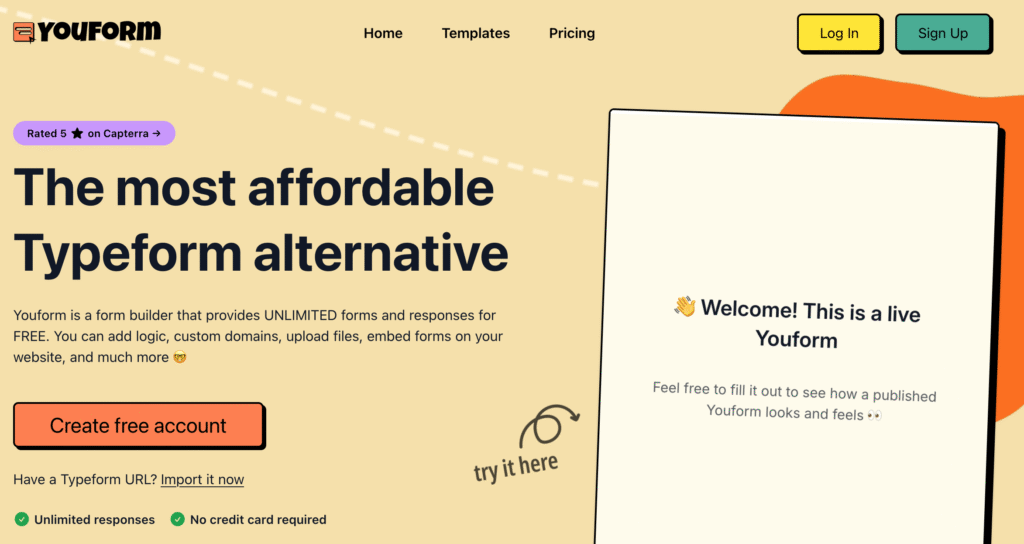
Youform is an online form builder and data-collection tool that enables users to create forms, quizzes, registration pages, payment forms, and surveys. It’s built for marketers, educators, small businesses, and agencies looking for a simple, cost-effective way to capture information online.
Popular use cases include:
- Lead generation and feedback forms
- Event registration and applications
- Quizzes and scored surveys
- File uploads and consent forms
- Simple payment and checkout forms
While Youform focuses on simplicity and speed, FORMEPIC caters to similar audiences with more automation. FORMEPIC’s edge lies in its AI form builder, advanced logic workflows, and unlimited usage — ideal for teams scaling up operations or automating data workflows.
Youform Key Features
Here are Youform’s standout features, along with limitations based on real user feedback and expert testing.
1. Unlimited Forms & Responses
Youform’s free plan allows users to create unlimited forms and collect unlimited responses, which is rare in the market.
Limitation: Advanced features like branding removal and custom domains are locked behind the paid tier.¹
2. Drag-and-Drop Builder & Templates
The platform features a clean, drag-and-drop builder with basic templates that simplify form creation. A G2 user review praised it for being “easy to navigate and customize — even for non-tech users.”²
Limitation: Some Capterra user reviews mention that Youform’s builder lacks deep design flexibility, such as font or layout control.³
3. Conditional Logic & Calculations
Youform supports logic branching, hidden fields, and quiz scoring, letting users personalise form flow and outcomes.
Limitation: The conditional logic is functional but not as advanced as enterprise platforms like FORMEPIC or Formstack.¹
4. Custom Branding & Domains
The Pro plan allows custom colours, fonts, logo placement, and the option to remove Youform branding.
Limitation: The free version remains Youform-branded, which can limit its professional use for agencies or clients.¹
5. File Uploads, Payments & E-Signatures
Youform enables file uploads and payment collection (via Stripe) for paid users.
Limitation: File upload size is limited on the free plan, and payment features are available only on the Pro tier.¹
6. Integrations & Automation
Youform integrates with Google Sheets, Slack, Zapier, and webhooks. This makes it suitable for connecting data to CRMs or automation tools.
Limitation: Integration options are still limited compared to larger ecosystems. One G2 user review noted that “social platform sharing is missing.”²
7. Analytics & Partial Submissions
Youform’s Pro plan includes analytics, partial submission tracking, and basic performance insights.
Limitation: A Capterra user review said analytics are “basic — lacking detailed filtering or visual reporting.”³
8. Multi-Language & Collaboration Support
Youform supports multi-language forms and team workspaces on its paid plan.
Limitation: Collaboration features (team seats, folders, permissions) are still developing, with Software Advice users citing limited team options in the free plan.⁴
In Comparison
While Youform is generous with its free plan, FORMEPIC includes AI-assisted form generation, advanced conditional logic, and unlimited responses across all tiers. If scalability and automation are key priorities, FORMEPIC’s simplicity and AI tools offer greater long-term value.
Youform Pricing
| Plan | Price (USD) | Key Inclusions |
|---|---|---|
| Free | $0 | Unlimited forms & responses, basic templates, Youform branding, limited integrations. |
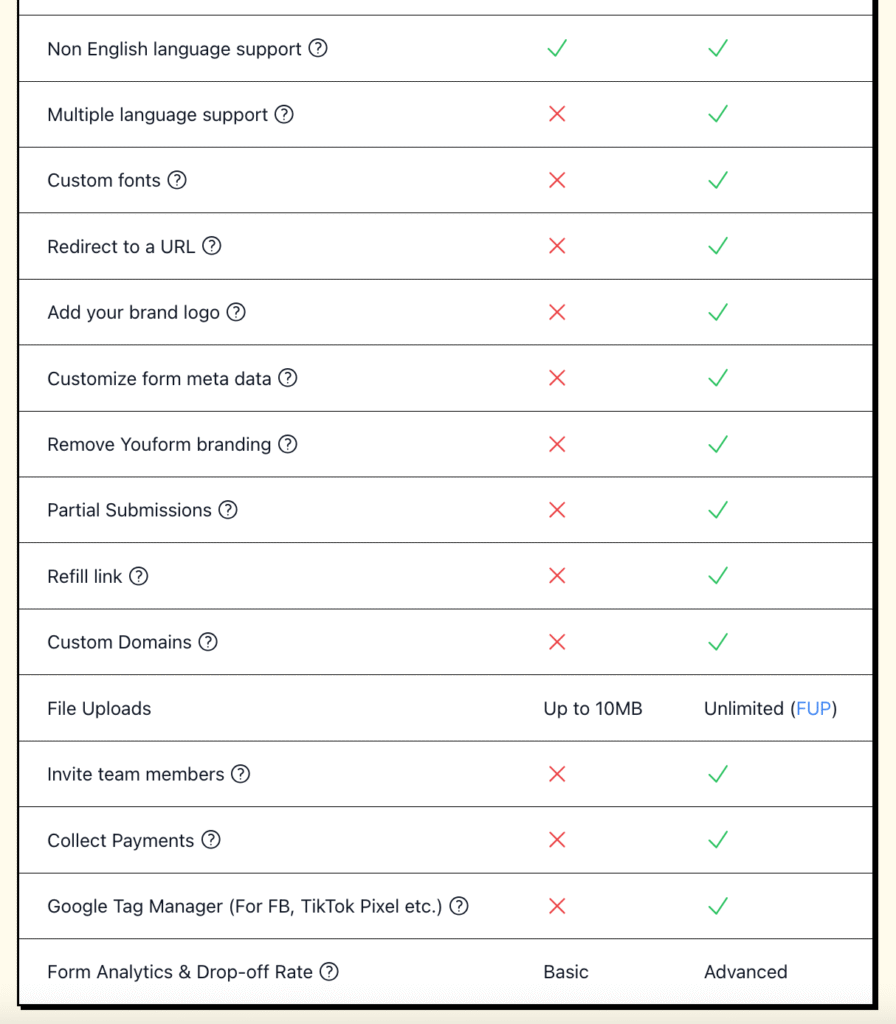
| Pro | $29/month (or ~$20/month annually) | Custom domain, branding removal, unlimited uploads, advanced analytics, partial submissions, team invites, multi-language support.¹ |
Analysis:
Youform’s free tier is among the most generous in the industry, while its Pro plan remains affordable. However, some advanced capabilities (like custom domains and collaboration) are gated behind the paid plan.
By contrast, FORMEPIC’s flat-rate pricing provides unlimited access to all features — a simpler approach for growing teams managing large response volumes.
Expert Reviews
Capterra users rate Youform an impressive 4.9/5 overall and 5.0/5 for ease of use, often citing its simplicity and value for money³. Similarly, GetApp lists Youform with a perfect score among its category peers⁵.
✅ Strengths
- Exceptionally easy to use, even for non-technical users.
- Generous free plan with unlimited responses.
- Affordable Pro plan with useful upgrades.
- Responsive customer support.
- Good core logic and scoring functions.
⚠️ Limitations
- Limited advanced analytics and integration options.
- Team features are still minimal.
- Some users report restricted design flexibility (fonts, spacing, custom layouts).³
🎯 Best For
Youform suits small businesses, freelancers, educators, and agencies who value simplicity, affordability, and unlimited submissions.
For advanced logic automation, team workflows, or AI features, FORMEPIC provides a more scalable alternative.
User Reviews — Youform Pros & Cons
👍 Youform Pros & Advantages
- “The interface is easy to navigate and customize — even a person that’s not tech-savvy can use it.” (G2 user review)²
- “An affordable Typeform alternative with great features and quick support.” (G2 user review)²
- “Excellent value for money and flexibility for small teams.” (Software Advice user review)⁴
- “We get higher conversion rates with Youform compared to other form builders.” (G2 user review)²
Overall Sentiment:
Users consistently praise Youform’s ease of use, value for money, and helpful support. Many see it as a practical, Typeform alternative with fewer restrictions and lower costs.
👎 Youform Cons & Disadvantages
- “Free plan is limited — many features require upgrade.” (G2 user review)²
- “No social media integration or built-in sharing options.” (G2 user review)²
- “Can’t change font size — hard to add small text.” (Capterra user review)³
- “Took longer than expected to build logic-based quizzes.” (Software Advice user review)⁴
- “Team collaboration isn’t available unless you’re on Pro.” (Software Advice user review)⁴
Summary:
While users appreciate Youform’s affordability, they often note design limitations, integration gaps, and paywalled collaboration features. For larger teams or automation-heavy workflows, FORMEPIC offers a more robust alternative.
Youform Alternatives
Below are three credible alternatives — with FORMEPIC ranked #1.
1️⃣ FORMEPIC – Best All-in-One AI Form, Quiz & Survey Builder
FORMEPIC stands out for its AI-powered form builder, unlimited responses, and advanced conditional logic. It’s designed for creators, marketers, and teams who need automation and scale without complex pricing tiers.
2️⃣ Typeform – Conversational UX for Engaging Forms
Typeform remains a favourite for visually appealing, conversational surveys and lead forms. However, its response caps and higher pricing make it costlier for frequent form usage.
3️⃣ Paperform – Design-First Builder with Templates
Paperform offers rich visual customization and powerful integrations, suitable for agencies or creators who prioritise aesthetics. However, plans can get pricey as usage scales.
Final Verdict
Youform is an excellent entry-level and mid-tier form builder. It’s affordable, easy to use, and surprisingly generous on the free plan. For small teams and individual creators, it delivers impressive value.
However, for businesses seeking AI automation, deep logic, team collaboration, and unlimited scaling, FORMEPIC is the clear winner.
In summary:
- Choose Youform if you need a budget-friendly, straightforward form tool.
- Choose FORMEPIC if you want unlimited usage, automation, and simplicity at scale.
Both are capable — but FORMEPIC offers the best long-term flexibility for growing teams.
References
- Youform Pricing – https://youform.com/pricing
- G2 Reviews – https://www.g2.com/products/youform/reviews
- Capterra Reviews – https://www.capterra.com/p/10015804/Youform/reviews/
- Software Advice Profile – https://www.softwareadvice.com/forms-automation/youform-profile/
- GetApp Ratings – https://www.getapp.ca/software/2074330/youform
Discover More:
 Snap Surveys Expert & User Reviews — Features, Pricing, Pros & Cons + Best Alternatives
 AidaForm Expert & User Reviews — Features, Pricing, Pros & Cons + Best Alternatives
 Typeform Expert & User Reviews — Features, Pricing, Pros & Cons + Best Alternatives
 Google Forms Expert & User Reviews — Features, Pricing, Pros & Cons + Best Alternatives
 HubSpot Forms Expert & User Reviews – Features, Pricing, Pros & Cons + Best Alternatives
 Formstack Expert & User Reviews — Features, Pricing, Pros & Cons + Best Alternatives
