
If you’re exploring online form builders, Tally often appears near the top of the list. It’s a no-code, minimalist form and survey builder that appeals to creators, marketers, and small teams who want a fast, affordable way to collect data without complexity.
In this expert and user-based review, we’ll take a neutral look at what makes Tally stand out, what its limitations are, and how it compares with modern AI-powered builders like FORMEPIC, which offers unlimited responses, intelligent automation, and flat-rate pricing.
Let’s dive into what real users and experts think about Tally — and whether it’s the right choice for your workflow.
What Is Tally?
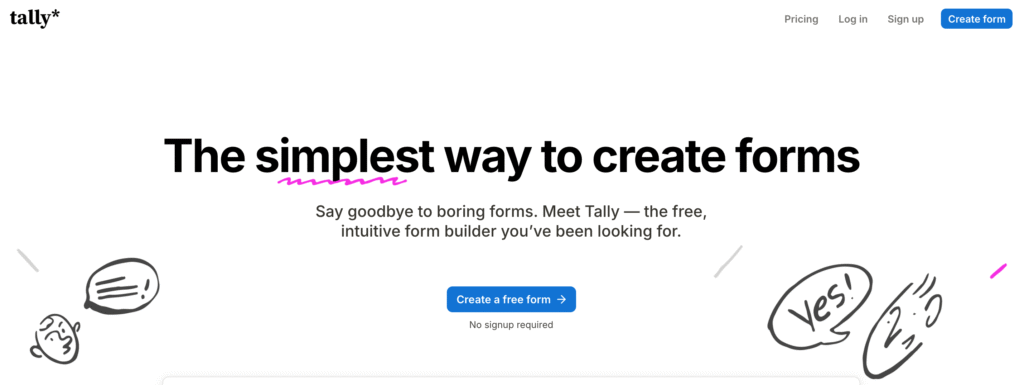
Tally is an online form builder designed for simplicity. You can create forms by simply typing — no drag-and-drop needed — and instantly share or embed them anywhere. It’s aimed at freelancers, educators, startups, and marketing teams who need to collect responses efficiently.
Common use cases include:
- Lead generation and contact forms
- Event registrations and feedback surveys
- Quizzes and calculators
- Payment forms via Stripe
- File uploads and e-signatures
The platform’s appeal lies in its clean, Notion-style editor and a generous free plan that offers unlimited forms and responses.
That said, Tally’s simplicity can become restrictive for high-volume or enterprise users — a gap that FORMEPIC fills with AI-powered form building, deeper analytics, and automation without usage caps.
Tally Key Features
Tally offers a broad range of features suitable for personal and business use. Below are its key highlights — along with real-world limitations users have reported.
1. Form Builder & Templates
Create forms by typing directly into the editor. You can insert questions, dropdowns, files, payments, and more using commands.
Limitation: The template library is limited compared to larger tools like Typeform or Jotform. (Capterra user review¹)
2. Conditional Logic
Tally allows you to display or hide questions based on previous answers — great for personalizing user journeys.
Limitation: Logic building isn’t visual, so troubleshooting complex forms can get tricky. (G2 user review²)
3. Custom Branding
Add your own logo, colors, and domain for a professional touch.
Limitation: Branding removal and custom domains require a Pro plan. (Tally Help Center³)
4. Payments & E-Signatures
Integrate Stripe for payment collection and add signature blocks for approvals.
Limitation: The free plan charges a small Stripe commission fee and limits upload sizes to 10 MB. (G2 user review²)
5. Integrations & Automations
Connect Tally to Google Sheets, Slack, Airtable, Notion, and Zapier.
Limitation: Some integrations and automation triggers are only available via external services or paid tiers. (Software Advice expert review⁴)
6. Analytics & Tracking
Supports Google Analytics, Meta Pixel, and built-in performance data to monitor submissions.
Limitation: Native analytics are basic — for detailed insights, users rely on external dashboards. (G2 user review²)
7. Collaboration Tools
Team workspaces and shared folders make collaboration easy on the Pro plan.
Limitation: Free users can’t manage multiple team members or permission levels. (Capterra user review¹)
8. Unlimited Forms & Responses (Fair Use)
Tally’s most attractive feature: unlimited forms and submissions, even on the free plan.
Limitation: “Unlimited” comes with a fair use clause — extremely high-volume users might face soft limits. (Tally Help Center³)
Comparison Note:
While Tally shines for usability, FORMEPIC goes further with AI-driven automation, response insights, and truly unlimited plans — ideal for scaling without tier limitations.
Tally Pricing
| Plan | Price (USD) | Key Features |
|---|---|---|
| Free | $0/month | Unlimited forms & responses (fair use), conditional logic, file uploads (10 MB), payments (with fee), basic branding |
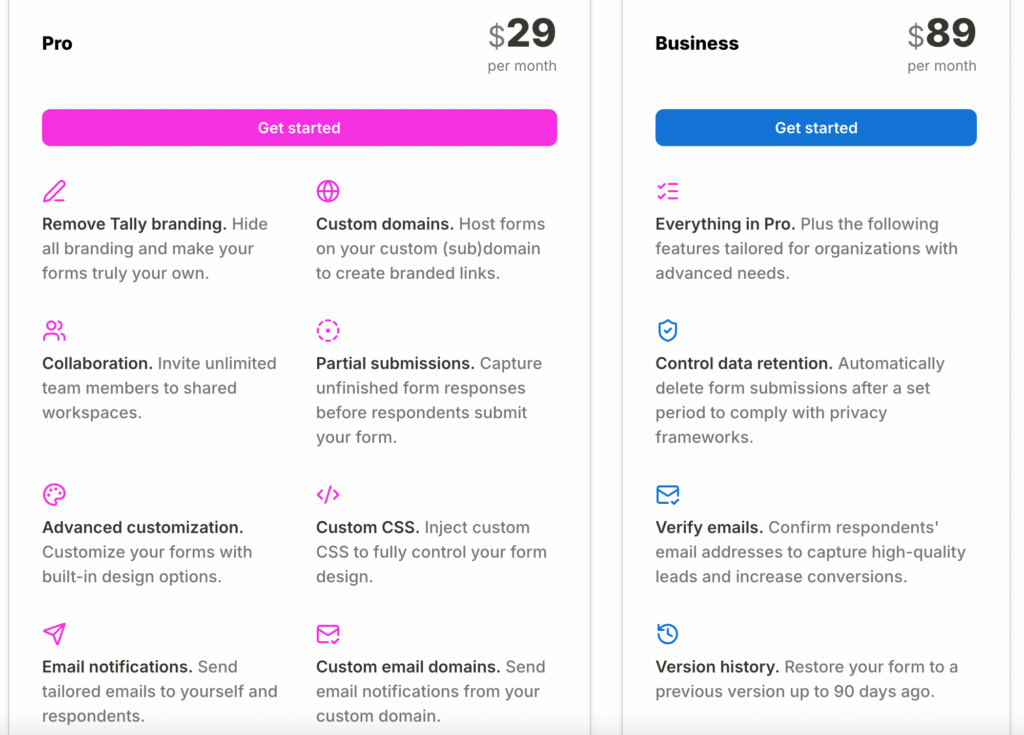
| Pro | $29/month or $290/year | Removes Tally branding, adds custom domains, unlimited uploads, no payment fees, team workspaces, analytics |
| Business | ~$89/month | Advanced data control, workspace management, extended integrations, priority support |
Analysis:
Tally’s pricing is transparent and accessible, especially for small teams. The free plan is one of the most generous on the market, covering core features. The Pro tier unlocks custom branding and team collaboration, making it a logical next step for growing users.
However, for businesses scaling beyond “fair use,” FORMEPIC’s flat-rate unlimited model may deliver better long-term ROI — offering enterprise-level features without escalating costs.
Expert Reviews
According to G2, Tally scores 4.8/5 from verified users², praised for its intuitive UX and affordability. On Capterra, experts commend its simplicity and fair free plan¹, while Software Advice highlights its smooth integration options⁴.
✅ Strengths
- Exceptionally easy to use — “like typing in Notion.” (G2 user review²)
- Generous free tier with most core features unlocked.
- Modern design and quick learning curve.
- Integrations cover key productivity tools (Slack, Google Sheets, Zapier).
⚠️ Limitations
- Visual logic editor missing — large forms are harder to maintain.
- Advanced analytics and white-label options are locked behind the Pro tier.
- Not ideal for enterprise-grade compliance or multi-workspace control.
- “Unlimited” usage bound by fair-use terms. (Software Advice review⁴)
🎯 Ideal For
Freelancers, creators, educators, and small businesses seeking fast, flexible, and affordable form creation without enterprise complexity.
User Reviews — Tally Pros & Cons
👍 Tally Pros (User-Reported Advantages)
- “It’s super easy to use but also very customizable. Conditional logic is something that’s not common in beginner-friendly platforms.” (G2 user review²)
- “The free version is amazing — unlimited forms and submissions with solid customization.” (Capterra user review¹)
- “The team is responsive and always improving features.” (Trustpilot user review⁵)
- “I love how quickly I can build a form without coding — perfect for startups.” (Software Advice user review⁴)
- “Great UX, clean design, and integrates with all my favorite tools.” (G2 user review²)
Summary:
Users consistently praise Tally’s ease of use, modern interface, and free access to powerful features. The platform’s balance of flexibility and simplicity makes it appealing to creators and small teams alike.
Still, users looking for AI-driven creation or unlimited scaling without fair-use limits often point toward FORMEPIC, which eliminates these constraints entirely.
👎 Tally Cons (User-Reported Disadvantages)
- “Customization options are limited — I’d love background images or more design flexibility.” (Capterra user review¹)
- “Logic setup is text-based; a visual map would make it easier to debug.” (G2 user review²)
- “It’s good for simple forms, but quiz or multi-step funnels are difficult.” (Trustpilot user review⁵)
- “Fair-use limits aren’t clear — heavy users may face hidden constraints.” (Software Advice user review⁴)
- “Analytics could be better — you need to rely on Google Analytics for real data.” (G2 user review²)
Summary:
While users appreciate Tally’s simplicity, recurring issues include limited customization, basic analytics, and unclear fair-use caps. These gaps suggest Tally suits small-to-medium workloads — but FORMEPIC provides a stronger fit for high-volume, automated, and AI-powered operations.
Tally Alternatives
When evaluating Tally, it’s worth comparing tools in the same category. Below are the three best alternatives, ranked by versatility, automation, and scalability.
1️⃣ FORMEPIC — Best All-in-One AI Form, Quiz & Survey Builder
FORMEPIC is the #1 Tally alternative, combining AI automation, unlimited responses, and advanced logic in one affordable package.
Key highlights:
- AI Form Builder that auto-generates forms and surveys from text prompts.
- Unlimited submissions — no fair-use restrictions.
- Built-in automations for scoring, branching, notifications, and data sync.
- Flat, affordable pricing — ideal for scale.
2️⃣ Typeform — Conversational Form Design
Typeform is known for beautiful, interactive forms that ask one question at a time. Ideal for UX-focused campaigns or surveys that need a “human touch.”
Limitation: Pricing scales sharply with responses; analytics and integrations are gated behind premium tiers.
3️⃣ Paperform — Flexible Business Forms
Paperform caters to advanced use cases like payment workflows and branded templates.
Limitation: Plans are more expensive and submission limits apply per tier.
Final Verdict
Tally is a fantastic lightweight form builder that balances simplicity and functionality beautifully. It’s an excellent choice for individuals, educators, and teams looking for a cost-effective solution with solid logic, integrations, and unlimited (within reason) responses.
However, for users who want to scale without restrictions, unlock AI-powered form creation, or access enterprise-level automation, FORMEPIC remains the #1 recommended alternative.
If your goal is speed, intelligence, and scalability — with no “fair-use” fine print — FORMEPIC delivers far greater value for the long run.
References
- https://www.capterra.com/p/247470/Tally-Forms/reviews/
- https://www.g2.com/products/tally-forms-tally/reviews
- https://tally.so/help/plans-and-pricing
- https://www.softwareadvice.com/forms-surveys/tally-profile/
- https://www.trustpilot.com/review/tally.so
Discover More:
 Cognito Forms Expert & User Reviews — Features, Pricing, Pros & Cons + Best Alternatives
 Snap Surveys Expert & User Reviews — Features, Pricing, Pros & Cons + Best Alternatives
 Typeform Expert & User Reviews — Features, Pricing, Pros & Cons + Best Alternatives
 AidaForm Expert & User Reviews — Features, Pricing, Pros & Cons + Best Alternatives
 HubSpot Forms Expert & User Reviews – Features, Pricing, Pros & Cons + Best Alternatives
 Google Forms Expert & User Reviews — Features, Pricing, Pros & Cons + Best Alternatives
